

As a creator, your brand is ready for people to move from social to showing up—and that’s where new opportunities to build and monetize live.
You’re doing the hard work: building an audience, turning content into a real business, lining up shows, drops, pop‑ups, and collabs. You’re creating opportunity—for yourself and for your community. The new challenge is how to get them to remember to put it on their calendar.
Your problem isn’t building awareness, it's bridging the gap between social and showing up. Someone sees your event on Tuesday, taps like, maybe comments “pulling up,” and then by Friday your post is buried. They’re not ignoring you; they just don’t have a clean, reliable way to find your event again when they’re actually planning their week.
Instagram is no longer one link, choose wisely. You’ve got multiple links, with more and more tools like Linktree, Beacons.ai, and Stan.Store turning your bio into a fancy control panel. That makes sense, because you’re not just posting content anymore, you’re building a business. But as your bio fills up with places to click and things to buy, there’s still no dedicated place that answers the simplest question your followers have: “What are you doing next, and when is it?” You're missing a calendar.
That’s why creators need a calendar built for their bio. Go claim your Daisy.
So, what is a calendar in bio? It tells people where to be and when, with dedicated space for your growing business. One tap from your profile shows everything coming up—your shows, markets, workshops, and collabs—with room to highlight partners, sponsors, and hosts next to each event. That shared calendar doesn’t just organize your dates; it gives partners a visible place to plug in, cross‑promote, and make money.
How Daisy works in the wild:
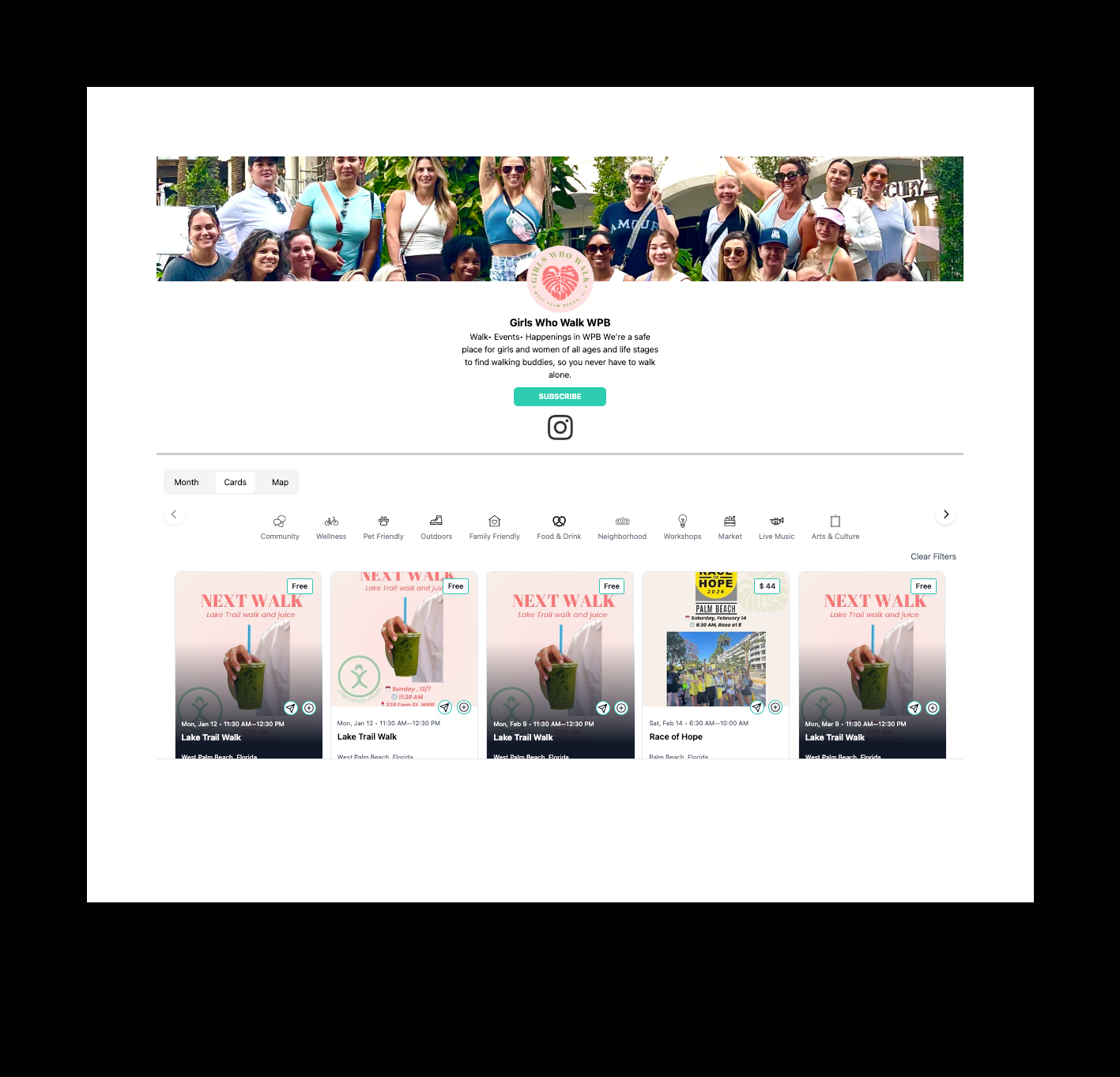
Your Daisy calendar is a public page with all your upcoming events in one place, where people can subscribe and add any event to their own calendar. Creating a Daisy is free by design—calendars are meant to be found.
Go claim your Daisy.
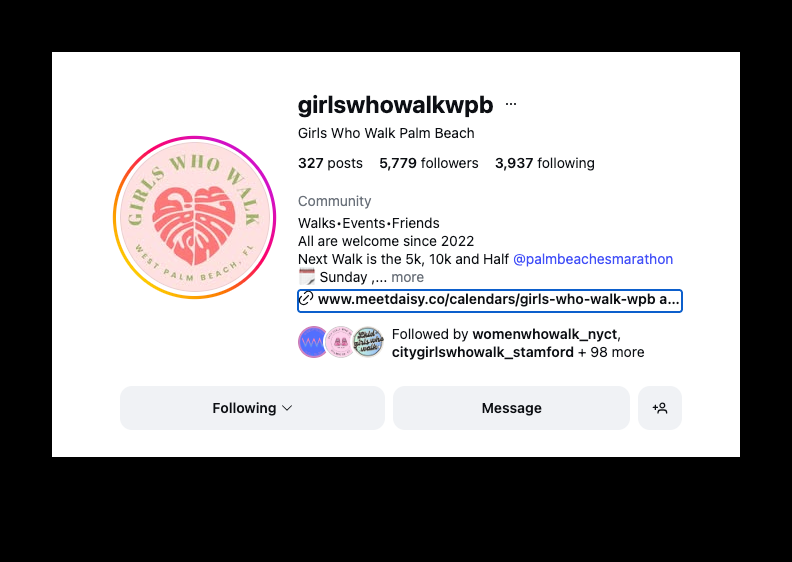
Your Daisy link lives in your Instagram bio alongside your other links, so followers know exactly where to tap to see what’s next.
Go claim your Daisy.
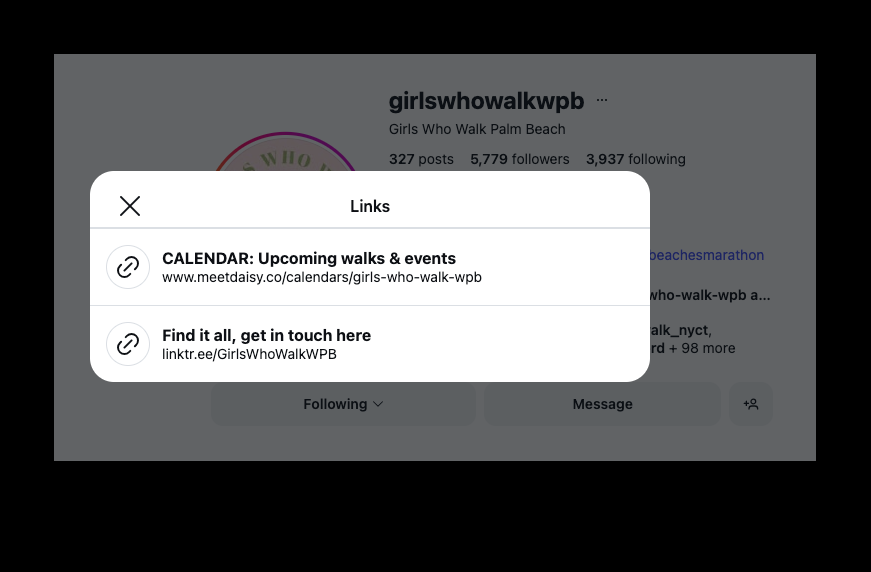
When they open your links, “CALENDAR: Upcoming events” is right there—one tap to your calendar, one tap to add it to theirs. It's just so easy.
Go claim your Daisy.
What are ways a creator can use a calendar? Any time you’re building an audience through attendance—community meet‑ups, partner collabs, digital drops and unboxings, online webinars, IG Lives, and everything in between. If you’re asking people to show up, make it easy for them to put it on their calendar.
Come Meet Daisy and claim for your free calendar in bio.
Go claim your Daisy.